Showing posts with label Panasonic. Show all posts

Panasonic Plasma Service Menu Code

Here are step by step how to enter secret code for plasma panasonic tv :
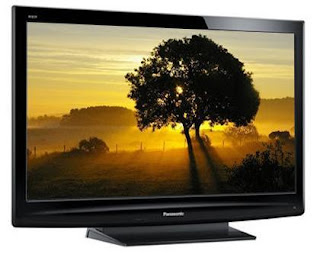
panasonic plasma 50 inchi


1. Press the volume down & hold down the button on the plasma TV display.
2. Press 3 times the STATUS button on the remote control.
3. Status button is the one below Power button
4. The Service Menu mode CAT will comes up.
5. CAT is Computer Aided Test Menu
6. To select a mode parameter use the cursors keys on the remote control.
7. And press the Action key {} to access the menu.
8. To exit mode Press the R button.

panasonic service mode

Panasonic TV's after 1996 can be set to "Serviceman Mode" with the
following remote control sequence:

-select the SET-UP icon and select CABLE mode.
-select the TIMER icon and set the SLEEP timer for 30 minutes.
-press the ACTION button twice to get out of the menus.
-change to channel 124.
-adjust the volume to minimum (0).
-Hit the VOL down button on the TV itself (not on
the remote) and a red "CHK" should appear in the upper corner.
-press the ACTION and VOLUME DOWN buttons (again, on the
TV, not the remote) you will toggle between AGING and SERVICEMAN modes.

Select Serviceman mode. The POWER button on the remote control will
select one of the five Serviceman Adjustment modes.

The modes are:

B - Serviceman VCJ SUB Adjustments. These include sub-tint,
sub-color, sub-brightness, sub-contrast, colorkiller/ABL/gamma,
audio and video adjustment, and vertical size.

C - Serviceman VCJ Cut-off adjustments. These include Red, Green
and Blue cut-off, red and blue drive, automatic fine tuning
(AFT), RF AGC (RF gain control), horizontal center, beam limit,
etc.

S - Serviceman Options Adjustments. These involce the PIP and
clock.

M - Serviceman MTS (Stereo/SAP) adjustments.

CHK - the mode you first entered. Normal picture and sound, lets
you check things over and still have a hotkey into the
service menu.

There is one more adjustment that isn't in the five modes, it's
global. When in either the yellow or red CHK mode, you can press
RECALL on the remote control to enter the purity field check mode.
This lets you select a pure white, red, green, or blue screen. A
good thing to walk away from if you just want to temporarily freak
out the floor manager, but it will be fixed as soon as the TV is
turned off. Oh well.

To get out of Serviceman mode, press ACTION and POWER on the
receiver simultaneously for at least 2 seconds. The TV will momentarily
shut off and then comes back on.

If you can not found, please search here

Ex : Lcd TV schematic

Panasonic TC-P50C2 50-Inch 720p Plasma HDTV

Panasonic TC-P50C2 50-Inch 720p Plasma HDTV

Panasonic TC-P50C2 50-Inch 720p Plasma HDTV

More...

If you can not found, please search here

Ex : Lcd TV schematic

Panasonic TC-P46C2 46-Inch 720p Plasma HDTV

Panasonic TC-P46C2 46-Inch 720p Plasma HDTV

Panasonic TC-P46C2 46-Inch 720p Plasma HDTV

More...

If you can not found, please search here

Ex : Lcd TV schematic

Panasonic TC-L32X2 32 inch

Panasonic TC-L32X2 32 inch support for HDTV and it full 

with iPod Dock. These are features from Panasonic TC-L32X2 32 inch:

Features

  • Universal Dock for iPod
  • Viera Image viewer for Photo viewing
  • IPS LCD Panel
See more detail on >>http://astore.amazon.com/electronics07b9-20/detail/B0039213XY


If you can not found, please search here

Ex : Lcd TV schematic